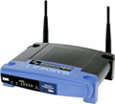
Piggy Backing On My Neighbor’s Wi-Fi Connection To Get Free Wireless Internet

Are you a wireless bandit? I was – back when I was just a poor cash-strapped student during my graduate school days. I know many of you out there have “borrowed” your neighbor’s Wi-Fi (wireless fidelity) internet signal before to save a few bucks. Maybe you just moved into your new apartment or house and haven’t had time to set up DSL or cable internet yet. So what’s your take on the moral and legal implications of using someone else’s wireless connection? Fortunately I am a working adult now with my own broadband connection so I don’t have to face this dilemma anymore. But is the practice of tapping into your neighbor’s Wi-Fi connection from the confines of your own home wrong? Is it some type of piracy or wireless theft, or is it merely receiving a free benefit that has either been knowingly or neglectfully dumped into the public domain?

I Don’t Have A Moral Problem With Accessing Someone Else’s Publicly Available and Unsecured Wireless Signal

Currently I have my own broadband service through my internet provider, Comcast. Thus I have no regular need to piggy back on someone else’s wireless signal, although I can see when the emergency occasion may arise, particularly if my internet connection ever went down. Rather than driving to the local library to use one of their free public computers, I may just find it more convenient to search for stray unsecured signals and temporarily utilize one. Besides, I wouldn’t even know how to go about tracking down the location of the wireless source to ask him or her for permission.

Personally, I have no substantial ethical problems with using my neighbor’s unsecured wireless signal from the vicinity of my own home. I feel the practice falls into the fuzzy gray area that encompasses questionable acts like speeding. It’s just something everyone does on occasion and not universally or equitably enforced. It’s not like I’m sneaking into one of my neighbors’ homes and plugging my laptop into their wireless router, or trying to intercept some other user’s data transmissions. I would simply be receiving something that is already floating around and rendered available in the public airwaves. For all I know, the person has no problem with giving the public reasonable access. In fact, some neighbors have been known to express such generosity. I’m not advocating moral wrongdoing, but I tend to view such practices through a pragmatic perspective.

Homeowners Should Do A Better Job Of Securing Their Wi-Fi Connection

I used to operate my own wireless router a few years ago. However, I always made sure my wireless network was fully secured and encrypted to protect against unauthorized access. Of course, my opinion would clearly depend on what side of the wireless connection I was on. If I was the one who had the wireless router and some stranger was accessing my signal without permission, I would obviously be upset at them for freeloading on a service I paid a monthly fee for. While their usage wouldn’t likely diminish my full enjoyment of my internet service by drastically consuming bandwidth to a noticeable degree, to me, it’s just the principle of freeloading involved. But at the same time I would blame myself for ignorantly not shielding my public broadcast signal from unauthorized access. Wireless network owners must take it upon themselves to protect their own service if they want to exclude the public from their Wi-Fi service. If the wireless signal is not properly secured once it takes flight, it’s reasonable to assume that any number of neighbors within the broadcast radius can easily pick up the stray signal.

Securing one’s own wireless router is very easy and something that everyone with a wireless router should do. There are a variety of security options available, from WEP encrypted passwords, MAC address authentication, signal encryption, limiting the SSID broadcast name, to simply not sending out a public wireless signal that frankly anyone can access. WEP passwords and MAC address authentication help to limit access to those who are authorized and help to protect the system from intruders. Blocking your router’s SSID name makes your signal identity more invisible to those who are not already aware of its existence. Securing your Wi-Fi is important because you never know who might be using your connection and what they might be using it for. It could be anything from illegal file sharing, to child pornography, to illegal spam activity. Setting up proper security measures should be every network owner’s top priority before they start utilizing the service.

The Legal Implications For Public Wireless Theft Are Murky, And Prohibitions Are Difficult To Enforce

In the legal realm, the area of so-called wireless signal theft is fuzzy at best, although many jurisdictions have enacted laws and ordinances prohibiting such activity. I think we can generally establish that the act of piggy backing on your neighbor’s Wi-Fi signal is probably not the purist thing any of us can do, but is it an act that might subject you to criminal prosecution or even civil suit by the wireless owner? The answer is probably not, unless the anonymous wireless user takes it to the extreme.

If your neighbor’s wireless signal was password protected but you somehow managed to hack your way in, I think it’s safe to say that you are accessing the connection unlawfully and without permission. But what about the vast majority of piggy backing cases in which the signal was completely unsecured and floating in the public neighborhood airwaves. It’s a harder legal case for the wireless owner to build. One of the legal cornerstones of litigation is also the issue of damages. If you only used your neighbor’s connection for occasional email and light web browsing without slowing the connection down, how much damages could your neighbor claim as the harm he received as a result of your actions?

Enforcement and prosecution of such acts have always been exceedingly difficult as well. Even the mega million music industry and their RIAA goons have difficulty tracking down illegal filesharers and downloaders of music. Tracking down the location of unauthorized wireless users is also quite difficult. It’s easy if you only have a few neighborhood houses nearby or if it was just some guy parked outside the home in his car and using his portable laptop to access the connection. But what about a situation like mine? I live in a medium size apartment complex. How would any wireless network owner determine which of the nearly 50 apartment rooms was the culprit? It’s a difficult task. That’s why homeowners need to resort to self help by taking better wireless security precautions.

Downsides and Dangers Of Using A Nearby Neighbor’s Wireless Signal

The most obvious disadvantage of using someone else’s wireless connection is that it is inherently unreliable. You are using a publicly available connection so the owner of that connection can boot you out or shut off any unauthorized connections on a whim. If you are a heavy internet user or frequently work at home using the internet like myself, relying on someone else’s Wi-Fi is a terrible idea, even with the cost savings. It’s not just a convenience matter either. Keep in mind that the owner of the wireless router has access to all data and information relayed through the router and if the owner is tech savvy and diabolical enough, he or she may intercept confidential information you’ve provided using the connection, including logins and passwords.

With all the free public wireless hotspots available today through commercial establishments like coffee shops and restaurants, perhaps this whole public Wi-Fi sharing problem will ultimately disappear. Perhaps one day all local and state governments will finally agree to provide free wireless internet for all. Now wouldn’t that be something?

69 Responses to “Piggy Backing On My Neighbor’s Wi-Fi Connection To Get Free Wireless Internet”

  1. Lily Says:

    The only time I ever stole wireless was when Time Warner decided that my building didn’t deserve service any more – and wouldn’t send anyone to repair it. Their solution? “Have you tried unplugging and plugging your router?” Since I needed Internet access for work, I ended up using the network from the building behind mine.

    I don’t want to say that the wireless owner was asking for it, per se, but people should be aware that others can piggyback off their wireless networks if they’re not secured. Plus, Time Warner created a horrible situation for us.

  2. pit Says:

    What you are doing is theft. Doesn’t really matter how you look at it. Just because a wireless network was unsecured doesn’t it mean you can connect and get access to the internal network? To draw an analogy…if you forgot to lock you house door should I break? Hey…it’s not my fault it wasn’t locked! By the way depending on your country this could result in a criminal law suit if your neighbour claimed you did this to access his internal network and steal shared files. Damage wouldn’t be an issue here. In my country unauthorized access to a computer network can mean between 1-3 years in prison. Really depends how retarded (or it savy) the judge is.

  3. Raymond Says:

    Lily,

    I share the same sentiment, except I have a difficult time seeing wireless piggy backing as “theft” when it has been knowingly sent into the public airwaves and readily and even perhaps non intentionally picked up by stray laptops.

    Pit,

    I disagree somewhat. I liken wireless piggy backing to that of music being played in one’s own home. If the music leaks out of your home, you cannot go around forcing everyone to cover their ears whenever they walk by your home, lest they deprive you of exclusive enjoyment of the audio music.

    Wireless owners can attempt to offer constructive notice of exclusive usage by password protecting their network. I agree that hacking and attempting to crack the network security measures would constitute theft, but I’m not sure passively accessing a publicly available and completely unsecured wireless signal from your own home would be.

  4. Pete Says:

    I can’t think of a time that I’ve actually ever “borrowed” someone else’s Wi-Fi network, but I share mine openly. SSID Broadcast is “FeelFree”. I encourage others to do so, as well. Why not? I’m not using all that damn bandwidth, someone might as well… I do have firewalls in place on my router, of course to make sure folks can’t access my internal network and I have several content filters on it as well, so folks can’t access porn, etc… I also have the SMTP ports blocked, not that they can’t get around that anyway. But if they just wanna go google something for their kid’s homework or something, no problemo. I graduated kindergarten and I don’t mind sharing in the least. Hopefully if I’m ever in need, there’ll be a kind-hearted stranger around with a WRT1154G to call home.

  5. pit Says:

    It’s theft because you steal somebody elses bandwidth. Keep in mind that bandwidth might be limited by amount of traffic. Anyway somebody else is paying for your internet and you pay him nothing. As long as you are not shareing the costs too you are stealing.

    Also somebody using your wireless can get you in trouble: downloading of copyrighted material (RIAA lawsuit???), spam, …

    Just pay for your own connection. Is that too much to ask?

  6. Jake Stichler Says:

    If you leave your wireless connection unsecured, it’s basically akin to leaving your front door open, so you shouldn’t be surprised if someone walks right in and hangs around for a bit. This is why I have absolutely no problem using other people’s wireless networks.

    Of course, I’m an uber-geek, too, and think people who don’t secure their networks are just plan stupid (or really nice).

    When I moved in to this apartment, across the hall from my sister and her husband, they let me steal their wireless, which is secured because he is also an uber-geek. They wouldn’t let me steal their cable, though :-( Even when I offered to pay half for it :-D

  7. Raymond Says:

    Jake,

    I personally don’t like the “leaving the door open” analogy since I don’t think it’s as on point. I liken it more to someone playing music and the neighbor listening in for free.

    But yes, everyone should take the appropriate basic steps to secure their wireless connection. It’s so easy – a caveman could do it – a caveman who is willing to read the router instruction manual that is.

  8. Tracy Says:

    This is one of those instances where being frugal crosses over into ethical problems/cheapness for me. All the excuses in the world about how whoever you’re stealing (because it’s stealing) bandwidth from didn’t secure their connection doesn’t make your conscious choice any more right or acceptable. I find that it’s really just an excuse.

    It’s taking something that you want, that you don’t want to pay for and dressing it up in the name of “frugality”. I think its the height of cheapness – if you must have wireless internet, pay for it yourself.

    The fact that there’s a section here about the potential legal prosecution for doing this indicates to me that yeah, it is pretty much a wrong move, and everyone knows it.

  9. Jake Stichler Says:

    Okay, fine, your analogy is better… :-P

  10. nygrump Says:

    I look at it as why does the neigbor get to flood my living space with their electromagnetic pollution. There’s absolutely no evidence it is safe to be constantly bathed in this flood of radiation. It is an incredible global experimenton our bodies that we were never given a choice to participate in. If you throw money in my window without your name on it, its mine. Why do they get a free ride in toxifying my living space?

    that said I’d have no problem paying a fair price for net access but I don’t want to also pay for cable or phone because I don’t want to bring that into my life. Did it before won’t again.

  11. Traciatim Says:

    I don’t like using the ‘door open’ analogy either because it isn’t the same thing. If someone has open WiFi and then also their router is set to broadcast their SSID I would put forward that it’s similar to leaving your door open with a big sign hanging there that says ‘Stop in, Stay a while’. That’s a much better analogy. I assume any connection that is like this to be a nice person allowing people to share their bandwidth.

    On the other hand, if they have WEP enabled, and you crack it . . . even if it only takes a second or two, you are now stealing. To everyone, if you don’t want people on your network just disable SSID broadcasts and use WPA or better. This will stop most of the free loaders.

    Just like locking your doors when you go out, if someone REALLY wants in your house, just like your network, they will get in. If you’ve done enough to make yourself less of a target than someone else, that’s all you can do.

  12. Jeffery Says:

    My question is; can I without infraction, share my wifi with my neighbor?? Am I breaking any laws?? If I offer and allow them to use it?

  13. Traciatim Says:

    Jeffery: No, no laws stop you sharing your things. Your terms of service with your ISP may have rules in it restricting such behaviour but they would have to prove you are doing it since they can’t tell if the machine connected to your router is 2 feet away or 100 feet away. If they can get a signal, you can share it.

  14. Traciatim Says:

    @pit:

    A much better analogy is if you are walking down the street and you hear someones music because their window is open. You’ve now used their electricity and committed copywrite infringement. That’s much more like the scenario than the ‘if the door isn’t locked it’s OK to steal’.

  15. Jake Stichler Says:

    Listening in to music that someone else is legally listening to is not copyright infringement. If you’d stick a microphone in their window and record it for your own use, then sure.

  16. gulnar Says:

    hey does height matter ..earlier i used to get wireless connection when i lived in another building on the 3rd floor but now i live a little further and on the 11th floor but i get no wireless signal (unsecured ) in particular so does height matter or is that there is no router any where closer to where i live …is it also possible that if i lived in the same building on the 5 th floor i could access wireless connection

  17. Englishgirl Says:

    Let me put the otherside of stealing a neighbours bandwidth through an unsecured router.

    I am not a computer techie and had no idea about encryption (my ignorance does not entitle YOU to steal from me). My ISP allows me only 5GB of usage per month for a set amount, therefore when my monthly bills started to skyrocket, and since I am on a limited budget, I wondered why.

    The most likely explanation according to my ISP was that someone within a 50 foot radius of my home was stealing through the signal on my router, and I therefore now have an encryption key entered. Needless to say, though, I still have to find the money to pay the bill this thief has incurred by downloading heavy files at my expense.

    Now, do you bandwith thieves have a clear conscience? I hope not.

  18. Wi-Fi RULEZ Says:

    If you are using the connection for normal things (i.e. E-Mail, YouTube, Games, etc.), then there really is no harm… I’m using my neighbor’s connection right now! They don’t even care.

  19. Angry Neighbor Says:

    I can’t believe the nerve of kids these days! The boy next door (who constantly wears this “Wi-Fi RULEZ” shirt) constantly makes comments to me like “Hey, I used your wireless signal to read my E-Mail last night!” or “I sure do love watching those YouTube videos, thanks to your wireless router!” and “I can’t get enough of those internet Games that I love so damned much”. After each comment of the like, I plead with him asking him to please stop, and telling him that I don’t want him using my wireless signal.
    He just laughs at me, as if it were all a big joke and responds “Good one, you don’t even care!” And just the other day he continued to say “I’m going to go post about how you don’t mind my pirating of your internets, thanks for not caring!”

    I was so upset about it, that I went inside and immediately did 3 angry push-ups, followed by an angry nap that lasted nearly a month. Now that I woke up, I thought to share my experiences with all of you.

  20. Traciatim Says:

    Angry Neighbour, that’s a great story . . . Ever think that he’s just making fun of you because you;re advertising your free Wi-Fi by having your SSID broadcast and your router configured to give access to anyone who asks for it?

    Set up WPA, have a decent sized password, and set it to only give your MAC address an IP when requested . . . now you are no longer a target.

    Perhaps pick up the manual that explains how to set it all up.

  21. Jake Stichler Says:

    Angry Neighbor, like Traciatim said, you’re advertising it. Frankly, the fact that you *know* he’s stealing your internet and you’re not doing anything about it kind of leaves you with little room to do much complaining. If you’re not very technically adept, I’m sure you have a young family member or relative who could easily take care of securing your network for you.

    Although I’m of the “you’re advertising it, so I’m using it” mentality (where do you think my internet access has come from for the past year?), just the fact that this little moron is being so damn cocky about it, and the fact that you told him to stop, makes me wish you would just call the darn cops and file charges for theft of services. It’s kind of like harassment – you told him to stop, and he didn’t, ergo he’s in deep.

    If there ever were a time where I had my own internet connection, and somehow forgot to secure my wireless, and during that time someone told me they were using my internet with an attitude like that, I’d have the state po-pos on the line darn quick. It’s all about the attitude. On the other hand, if they came over and said hey, I really can’t afford my own cable and I noticed you’re running your network unsecured and do you think you could continue doing so… I would probably at least try to work something out with them – let them pay part of the bill or something. Of course, then I’d immediately secure it and give them the key.

    Also, just noticed, with regards to Traciatim’s suggestion to “set it to only give your MAC address an IP when requested,” you’d have to watch out if you start using, say, an XBOX 360, or an iPhone, or some other device on your wireless network, you’d have to add those MAC addresses in as well.

  22. Chiya Says:

    I’ve been trying for over a week to get the router to work (I followed the instructions but it kept coming up with the helpful message of “There has been an error connecting to the network.”)

    The second time I called the number they told me to do something and it ended up resetting the network “dlink” and no password.

    I figured I’ve been stealing my neighbours internet for a couple of weeks so I don’t really mind if they use mine for a couple of weeks. I’m just wondering…will I have to pay more if they are using my network or will it just go a tiny tiny bit slower?

  23. Cyndi Douglas Says:

    Think about this, almost all places of business that we get our utilities from, satelite, banks etc. When they send you a bill try to get you to go paper free. They want you to have your account billed and accessed on the internet. Wouldnt it just make since to have free internet then every one would want to go paperfree.

  24. Englishgirl Says:

    Hiya Chiya (Lol),

    It depends on whether you have an ISP that allows unlimited download for a set monthly cost. My ISP does not, and that is how I noticed that my bills were getting higher….and higher!!!

    I pay £19 per month for 5GB of download and I was getting bills of £48.

  25. Jake Stichler Says:

    Wow, Englishgirl! 19 pounds for 5GB is expensive as heck! I wouldn’t even pay 19 worthless american dollars for that amount. Do you have any other viable ISP options?

  26. reayn.n.snow Says:

    SO ALL OF MY NEIGHBORS HAVE UNPROTECTED WIFI BUT NONE OF THEM ARE CLOSE ENOUGH TO DECENTLY PICK UP OFF OF PLUS THE MANY TREE’S IS THERE SOMETHING LIKE TIN FOIL OR SOMETHING I COULD USE TO PICK UP MORE OF THE SIGNAL?

  27. Jake Stichler Says:

    Reayn,

    This really isn’t the place to be asking that. There’s plenty of information elsewhere online… you may want to look into the tin foil Pringles can method.

  28. Traciatim Says:

    Reayn.N.Snow, depending on your network card you can sometimes get external antennas that will increase your range dramatically, just search for something like WiFi Antenna on any search engine. If your WiFi card cannot accept an antenna then you are probably stuck paying for your own service, once you do make sure you secure it unless you want to share it.

  29. Automan Says:

    If you get free internet access, it is better to use it for safe activities like checking your mail etc. and not like downloading porn and wasting the bandwidth. Different countries have differing laws that control the wireless access and play as per the law of your land and be safe :)

  30. Randy Says:

    Your opinion on accessing your neighbors internet is in the grey area?
    If your neighbor does not lock his house, do you have a right to enter?
    If I leave my keys in the car, is it ok for my neighbor to drive it?

    According to your standard, it is the same thing has hacking someones internet. You know you don’t pay the bill, but you use it anyway, you are stealing!

    It’s not a subject that is open for opinion! Stealing is clearly defined as such, so laws would apply if a person was so led to prosecute.

  31. Traciatim Says:

    Randy, no, that’s not the analogy. For a network that is open to all and broadcasting it’s SSID the analogy would have to be this:

    If you neighbour leaves his door open and has a big sign that says “Everyone Welcome, Make yourself at home!” is it OK to enter?
    If you leave your keys in your car with a big sign on the window that says “Community car, feel free to drive” is it OK to drive?

    Hacking someones locked connection, I agree is wrong. People who don’t secure their connection and advertise it’s availability a person can only assume the intent was to share the connection since that it what is being advertised.

  32. landdmade Says:

    Going into an unlocked house is wrong. But dancing to your neighbor’s music or fixing your car by their garage light is a crime to most reasonably mind people.

  33. Traciatim Says:

    Are you sure you didn’t mean “isn’t a crime” not “is a crime”. I’m pretty sure if I walk down my driveway using the light from my next door neighbours outside light I’m not going to be arrested for theft.

  34. Nick Says:

    I share my wireless net connection with the name “Free – Be Nice”. So in your people’s terms, my house has a sign on it that says, “come on in, make yourself at home”. I also gave the macs to all of my devices priority. In the event that someone is not nice, under my terms of course, then I’ll kick them off. Until then…..happy e-mail checking.

  35. Jano Says:

    just think…,…,…and think…,…,….I have already read report about..: if I left door open,it means that someone could get in and get whatever he wants…,, My opinion is YES… Because you should not left that door open.
    Everyone should SECURED everything what he likes and is valuable for him…
    Do NOT forget: We are living in 21 century…
    We all like like something for free,don’t we?

  36. Alec Says:

    I don’t piggyback. But I know those who do. And, of those who do piggyback, I know none of them who abuse bandwidth. They use it merely for light browsing and email. Of course, they don’t use MY connection because it’s encrypted and password protected (grin).

    The problem, as I see it, is that – over time – we’ve become a lazy culture. Most people want “turnkey” everything. Just plug it in and, if it works, fine. Frankly, I’m surprised that the ISP industry hasn’t put its collective foot down … asking for legislation that requires a menu setup procedure to encrypt and password-protect every router manufactured. No setup, no throughput – period – unless you’re willing to sign a document stating that you CHOOSE to operate an unprotected network.

    That kind of legislation might actually work. I think the vast majority of unprotected network owners are oblivious to piggybacking – unless their service is so adversely affected that they complain to someone who would wise them up. I also think that vast majority would take no issue with the completion of a “menu setup procedure” to secure their network – and would probably welcome it if it was “simple.”

  37. Jimmie Twofingers Says:

    The basic idea here is that the bandwidth is being SHARED, not STOLEN. When someone STEALS something from someone else, it is no longer available to the person from which it was stolen. However, SHARING something is a whole different ball of wax. Thus, the ‘legal’ or ‘moral’ implications of open wireless feeds are not actually in the same realm as THEFT per se and need only protections placed when and if the person doing the sharing sees fit. Secondly, EDUCATION of how bandwidth is produced and collected via various methods–routers, transceivers, transmitters and so forth will allow OWNERS of hardware to make sensible decisions. But just willy-nilly making ‘law’ as remedy to a perceived and subjective problem is an invalid and potentially dangerous idea.

  38. Alec Says:

    Well, regarding “When someone STEALS something from someone else, it is no longer available to the person from which it was stolen,” it’s a neat argument – but one that falls on deaf ears even in the realm of intellectual property law. In the real property realm, using another person’s property … even if the original owner retains possession … is referred to as “conversion.” And conversion of property without the owner’s consent is a crime. Property owners are legally entitled to the “full value” of their property. And anytime property is used, its full value goes down.

    Requiring router manufacturers to implement menu setup procedures would not be an intrusive law … as long as the ultimate decision of whether or not to secure the router is left up to the owner. It would certainly be less intrusive that mandatory seatbelt laws.

  39. Alec Says:

    Just wanted to expand upon my last post – to clarify the difference between SHARED and STOLEN.

    If I had a music CD and someone “ripped” it, creating 1,000 MP3 files of the original content, the music CD itself would still play the same – albeit with the very minor wear and tear on the CD caused by the rip. This situation would “seem” to support a SHARE vs. STEAL concept since the value of the CD remains unchanged … and since possession of the CD remains with its owner. However, by the same token, the creator of the music on that CD (or the people creators license) have a right to royalty income on every instance in which the CD is rendered. So, while SHARING the content of a CD doesn’t affect the CD owner’s right to property, it does affect the creator’s right to profit from their creation (aka “STEALING”) because the existence of the music on the CD conveys TWO ownership rights, not just one.

    That logic falls completely flat, however, when discussing piggybacking. If I had an internet connection that, on average, gave me 3mbit of download bandwidth. that entire 3mbits belongs to me – to split between two or more computers owned by me via a wireless router. But, as soon as someone piggybacks that connection without my permission, they have “converted” (not shared) part of my bandwidth to their OWN purposes – devaluing the worth of the connection that I paid for.

    To use an analogy, let’s assume I drive a car that gets 30 miles per gallon of gas. However, if someone (without my permission) hitched a trailer to the back of my car – and my mileage went down to 20 miles per gallon – that’s not sharing, it’s theft. Likewise, if someone piggybacked my 3mbit connection (without my permission) to the point where I only had 2mbits I could use – that’s not sharing, it’s theft.

    The whole argument of piggybacking boils down to owner choice. Some router owners are more than willing to share their bandwidth. Others would rather not. But ALL routers are provided to consumers in an unprotected state – requiring the owner to perform a manual setup procedure to change that status – a procedure that many people are a bit “dense” about. My suggestion of a “menu-based” setup procedure simply removes the “dense” argument … allowing the owner to make the ultimate decision on whether or not to share bandwidth. And assuming the menu setup procedure is kept simple, it forces no “learning curve” on the owner. To secure or not to secure is the first question a router owner should answer. And by implementing a menu setup procedure, it merely assures that the question is “asked.”

  40. Jack Says:

    Man, if only the world was as ethical or moral as this blog! There wouldn’t be any crime, trouble, or strife at all.

    Look, the way I see it is like someone who leaves [everyday] a tray of money or cookies on an open tray outside their house.

    It’s there for the picking.

    Jeesh. You people need to join a convent or something.

  41. Traciatim Says:

    Jack, in that sense since many people broadcast their SSID it would be similar to someone posting on an online ad that they have a change tray in their yard that is free for people to take change . . . and then getting upset that people take change.

  42. Alec Says:

    Jack,

    If a person left a tray of money outside their door, chances are they KNEW money was on the tray when they left it. With wireless routers, chances are that computer illiterate people DON’T KNOW their connection was left open.

    My comments have less to do with morality than they have to do with “making allowances” for the people clueless to what they’re doing.

    Now, this is just me. But if I was walking down the street and noticed a guy’s pants zipper was wide open, I wouldn’t just snicker and keep on walking. I’d tell the guy. If afterward, the guy decided to continue walking down the street with his fly undone, that would be his decision. But at least, by making the guy aware of the situation, he was aware that a decision had to be made.

  43. Eric Says:

    i have a open linksys. i want to know if someone uses it will i pay more or lose speed?

  44. Alec Says:

    Eric,

    It depends upon where you are and what ISP you’re using. In the USA, most broadband users have become used to “flat fee” service. Elsewhere in the world, some users pay not only for the connection but for the bandwidth. So, in some parts of the world, leaving a router insecure can cause a somewhat immediate cash drain.

    The real worry for most people are those who piggyback to perform illegal activities – ie., downloading movies and music. For example, if a piggybacker decided to download a bunch of music by a bunch of new artists … and if the RIAA tracked those downloads … they’d come knocking at YOUR door to confiscate YOUR computer and periperals (and sue you, too). Or, if the piggybacker decided to download multiple movies, you might reach a bandwidth level where your ISP will cut you off. The other worry is that some piggybackers might be savvy computer hackers who attempt, through the wireless network, to gain access to your computer … stealing sensitive ID information to use elsewhere (passwords, credit card info, etc., etc.).

    Losing speed is guaranteed in any event. It might only be a slight loss that’s barely noticeable if the piggybacker is just doing routine browsing or checking his/her email. Or, it could be VERY noticeable if they do a lot of downloading or uploading of files.

    P.S. My very old DLink router just died. I got a new Netgear router … and the very first thing I did was implement WPA2 protection. But that’s just me. I suspect most persons using insecure wireless routers will encounter only simple, slight, and benign use of their bandwidth. Problem is, these router users are “whistling past the graveyard,” so to speak. It only takes one impolite or malicious piggybacker to spoil things … sometimes in a major way.

  45. vargas Says:

    Silly analogies aside, out of all of these comments, nygrump said it best and I agree with that poster – if your wireless internet/radiation waves are invading my living space – which I did not ask for, and you don’t bother to lock down your network you can bet your bottom dollar I’ll use your internet connection.

    All the prissy moralists can go jump in a lake.

  46. Alec Says:

    vargas,

    I don’t think moralism enters into it. People who don’t bother to lock down their network, knowing they have the option to do so, probably SHOULD be used (to teach them a lesson). But what about people who don’t KNOW they have anything to “bother” about? I don’t think that wising up people like that is being “prissy.” It’s just being a decent human being.

  47. Angel Says:

    I have problems with the “leaving your door unlocked” analogy. There is a door, and just by walking through the door,(as simple as that is) you would be breaking and entering. An unsecured wireless signal is more like a homeowner with all of their belongings on the the front lawn. They have not only taken no steps to prevent “theft” but they have “put it out there” for everyone to have access to it.

  48. Alec Says:

    Angel,

    There’s one overriding thing to keep in mind. There are a few people who understand computers and peripheral devices inside and out. But, as a semi-retired system builder, I can tell you that the majority of people who buy and own computers/peripherals are ignorant to how and why they work. All they want to know is that when they push the power button, their computer comes on … and when they use keyboard and mouse, that the things they “expect” to happen will happen.

    Knowing this, many (but not all) wireless router manufacturers have “dumbed down” the buying process. And when you open up the box with the router in it, you only find the most basic of “quick start” instructions. For example:

    1) Plug one end of an ethernet cable into your cable/DSL/wireless modem and the other end into the #1 ethernet socket on the router.

    2) Plug one end of another ethernet cable into the #2 ethernet socket on the router and the other end into your computer’s ethernet port.

    3) Plug in the router’s power cord.

    In short, they don’t discuss “security” issues on a quick-start card. And unless someone wises the customer up that security issues even exist, they won’t know. Customers will just follow the quickie instructions and say “Wow!” when they make their first wireless connection – totally clueless to their unsecured network.

    My first wireless router, a DLink model, had such a quick-start card in the box – and nothing else. Fortunately for me, I knew security issues existed and was able to remedy them. When the router “died” recently, I bought a new Netgear model … and it came with a menu-driven setup CD that walked me through the security setup procedures. I personally didn’t “need” to be walked through them (grin). But that is EXACTLY the way a “responsible” manufacturer should sell a wireless router – knowing that the majority of computer/peripheral owners are clueless to these issues.

    Here’s yet another analogy. It would be easy to criticize a homeowner for leaving a door or window open. But what if the homeowner was “blind?” In the wireless router ownership world, trust me – there are a lot more “blind” owners than “sighted” owners. And a simple menu-driven setup CD, like with my Netgear model, would pull the blinders off.

  49. Traciatim Says:

    Alec, So what if they are ignorant? If you don’t know that drinking and driving is illegal and you plow through a kindergarten is lack of knowledge a defence?

    Sticking with analogies, angel forgot one step, by broadcasting SSID they also have a sign on their lawn that says ‘FREE STUFF’.

    It is up to the person to secure their stuff, whether physical or not. Personal responsibility is the key here. By leaving it unsecure and broadcasting it is implied permission to use, unless that SSID is called “DO_NOT_USE” or something similar.

  50. mepperganfortas Says:

    Again, unsecured WiFi, to me, isn’t just leaving the door unlocked…it’s leaving it unlocked with a neon sign on the lawn that says “Door Unlocked–Come on In–Free Stuff Inside!.”

    Maybe a better analogy would be like one of those painted free bicycle experiments on various college campuses….you take a spin and leave the bike, anywhere, for someone else to do the same. More than a few of those were stolen and repainted, too!

    Other tags include: “Nice” and “Naive.”

    Unless you’re using so much bandwith to run a server nextdoor or you’ve got kids playing X-Box 24/7 I don’t see much harm in it, myself.

  51. mepperganfortas Says:

    I forgot one other thing.

    Even though we’re trying by passing hundreds more restrictive laws every year you simply can’t “child proof” everything in this world, everywhere, at all times.

    You need to use some common sense, too–although I think that pretty much died years and years ago.

  52. Alec Says:

    When I was in elementary school, a teacher came up to me one day, pointed out a math problem I did wrong on an assignment, and asked, “Alec, if you were having difficulty with this problem, why didn’t you ask for help?” That’s all fine and dandy … IF a student was having “difficulty.” But what about students who do the problem without seeing any difficulty and are wrong anyway?

    Common sense is similar. Problem is, when it comes to computers, the great unwashed masses out there have little in “common” with those who DO understand computers. “Common” sense, when it comes to computers, isn’t all that “common.”

    Netgear included a setup CD with my new router. They probably buy CDs in bulk and I suspect their per-CD cost was under a quarter each. And this setup CD walked users through the security setup procedure … allowing users the option, if they chose, to bypass security setup procedures. Point is, being a “responsible” manufacturer isn’t going to put any manufacturer in the poorhouse. What it WILL do is enlighten the clueless to their security options. And if my clientele (as a system builder) is any judge, there are a lot more “clueless” people out there than those in the know. In light of this, asking manufacturers to spring for 25 cents per router (which they’d add to the cost anyway) isn’t all that much to ask for.

  53. james mcneilly Says:

    How do i protect my computer from piggybackers.I’m not a computer nerd so any help would be appreciated

  54. Traciatim Says:

    Jame, read your manual for your router and it should explain setting up security. You computer manual and/or wireless card also should have an explanation. You could also search the model of your router and “guide to secure wireless” or some other search terms.

    If all else fails, buy some beer and ask someone who knows over to do it for you and pay them with a couple of beer/wine/other recreational substances or activities of your choice.

    If you are setting things up and you wonder which type of security system to use, repeat after me . . .

    WPA, not WEP.
    WPA, not WEP.
    WPA, not WEP.

  55. Hank Hill Says:

    I am piggybacking internet right now and have been for about 3 weeks since my bro bought a lttle acer laptop to use for school. Seeing as how we live in the country this was an unexpected but greatly apprecaited suprise (getting internet). I don’t know all about the moral conflicts but I do know that if one wanted to one could secure your network connection. Yet it is not, I use this connection to check stock symbols, news, youtube and guitar tabs and just about everything except credit card accounts and my scottrade account. I know it’s probally wrong what I’m doing but I really do apprecaite what I have been given and I’m thankful. What can I say? I love it!

  56. Alec Says:

    James,

    If your router came with a setup CD, use it. If it didn’t, Google the manufacturer’s name and see if there is downloadable setup software for your model. If not, and if your router came only with a quick-start card and no manual (like my DLink), then do a generic Google search for your router and model number with “security” as another search term.

    As Traciatim said, WPA encryption is better than WEP encryption. Some routers give you a choice between the two. There’s also WPA2 encryption, like with my Netgear router, and that’s even better. Good luck.

  57. Raymond Says:

    You know, I’m not sure why the popular wireless routers of Linksys, Netgear, and D-Link don’t already come pre-installed and automatically set up with web encryption enabled.

    Oftentimes you have to affirmatively select the encrypted option to protect your wireless router from neighborhood wireless piggybackers…it’s not already automatically enabled when you plug it in and hit the start button.

    Sort of like the Windows Network Firewall option…why isn’t that option already enabled and active by default? Who WOULDN’T want to have that defense mechanism already up and at the ready when they connect to the Internet?

  58. Alec Says:

    Hank,

    Judging by some of the replies made to my earlier posts, some people probably think I’m a stuck-up sticky-beak about wireless router security (grin). I’m not. Because I have a WiMax connection, I _can_ take my modem anywhere. But sometimes, like yesterday, it wasn’t feasible. So, yesterday, I piggybacked off an insecure Belkin router while having lunch at a cafe (no, it wasn’t their router).

    Like you, on the rare occasions I piggyback, I use it for simple browsing and email checking. And, I don’t feel like I’m immoral doing it. The only time I feel piggybacking itself is “immoral” is when people use it for large-file uploads and downloads that rob significant bandwidth (and speed) away from the router owner – especially if it involves downloading anything the owner could be sued or prosecuted for (kiddie porn, movie rips, etc.).

    The only niggly I have with wireless routers are SOME (but not all) manufacturers who don’t realize that the overwhelming majority of computer users are just that – “users” (not geeks). Geeks know how to secure a router. Many ordinary “users” do not … unless they have some sort of “simple” set of instructions (or setup CD) to guide them along those lines.

    My old DLink router only had a quickstart card, ie., plug this into that, this into that, etc., and no mention of security. Because I’m a bit of a geek, I knew there had to be some sort of security scenario. There was … but it was only mentioned online on a support page only geeks would visit. My new Netgear router was the opposite – a great setup CD that walked through the security steps (and even checked for firmware updates). Hehe, walk up to most “users” and ask them to define the word “firmware.”

    ==================================

    Raymond,

    Let me answer your last question first, “Who WOULDN’T want to have that defense mechanism already up and at the ready when they connect to the Internet?”

    Answer – libraries, coffee houses, hotels/motels, apartment buildings/complexes, and a number of other businesses that want to offer free WIFI access to customers in order to attract them. My local Safeway grocery store has free WIFI in their deli area. And, there are a few generous people out there who know they could secure their routers but CHOOSE not to for any number of personal reasons.

    “Choice” is the key here. And I think every router owner has a right to KNOW they have security choices.

    ==================================

    Just a humorous aside. I travel a lot, using free WIFI offered at the hotels/motels where I stay to keep in contact with friends and clients. And in my experience, Motel6 has some of the worst “free WIFI” connections in the hospitality industry.

    Recently, I stayed in a Motel6 not _too_ far from my home. I checked into my room, plugged in my laptop, and got the dreaded “one-bar” (limited or no connectivity) connection. In my case it was NO connection. So, I got ticked off and drove home – got my WiMax modem and wireless router – and drove back to my motel room.

    The free WIFI offered by Motel6 used the SSID of “Motel6.” So, everyone TRYING to connect to their router would see that SSID name in their list of available networks. Well, hehe, I plugged in my WiMax modem (5-bar connect) and plugged my router into it. I disabled encryption and gave my router the SSID name – MOTEL-6-SUX (grin). I have no idea whether anyone logged onto my router – but if they did, I hope they told the manager.

  59. Raymond Says:

    Alec,

    Hehe…funny Motel 6 story there. You sneaky fella.

    Also, when you refer to a WiMax modem…you aren’t referring to the new fangled wireless technology still being developed are you? I believe WiMax is a new long distance wireless signal system that allows for the transmit of Internet wifi signals in the range of tens to hundreds of miles. You’re just talking about a regular Wifi modem right?

  60. Alec Says:

    Clear.com (also Clearwire.com). WiMax and WiFi are somewhat different. WiFi signals are signals broadcast to/from wireless routers. WiMax signals are broadcast to/from cell towers located throughout a given service district. They offer two levels of service … one using a tiny USB plugin WiMax modem (yuk) … and one using a larger tower modem (about the size of a cable modem). I use the tower and get faster speeds from it than I did from my prior cable Internet provider – for $10 less per month (grin). However, I sometimes travel outside my service area and rely on WiFi at hotels/motels. In the particular case mentioned above, the Motel6 location was just within my service area. Lucky me (grin).

  61. Alec Says:

    Raymond,

    I use Clear (eg., Clear.com or Clearwire.com) WiMax. A WiMax connection allows a WiMax modem to communicate to/from a net “transceiver” mounted on a cell tower in a given service area. WiFi is just a computer connecting wirelessly to a router. Both are wireless. Both are line-of-sight type communications. But WiMax signals are more powerful than WiFi signals … though, to my knowledge, they’re more localized based on cell tower locations. I’ve never heard of a WiMax connection over any great distance. But as you said, the technology is still new.

    I’d guess that 5 years from now, DSL and Cable (and even FiOS) will be close to obsolete. WiMax infrastructure is so much cheaper. I used to have cable internet. Now, I have speeds greater than cable for $10 less a month.

  62. Ross Says:

    In the terms of “piggybacking” I feel I should bring to people’s awareness that not all people are aware that they are doing it.

    For instance, my wife works at a college and occasionally brings home a laptop to work on. She is not the most “tech savvy” person in the world, though I am somewhat of a computer geek myself. When she turns the laptop on, it automatically connects to the first available unrestricted wireless connection. This is not my wireless connection (as I don’t have one, I am on an old-school wired cable modem currently as I don’t own a laptop to work on), but a neighbors. I don’t know who owns the network (ingeniously called “Motorola”), but it works. At my behest, she tried to turn off that connection, so that she wouldn’t be piggybacking (as I consider it a moral gray, typically best to stay away from those methinks) but the computer wouldn’t let her (at least without a warning every 2 seconds about how it isn’t connected, until we got fed up with it and left it on).

    Now, I postulate that, laptop owners and/or users may often find that it is easier to allow the computer to simply connect, rather than deal with turning it off, let alone if they even know how to turn it off.

    So, I agree that broadcasting an unrestricted wireless connection is like not just leaving your door unlocked, but leaving it open with a big neon sign saying, “Come in, Make yourself at home, grab a bite to eat, and feel free to take a souvenir or 10″ I do consider it a moral gray spot, and tend to avoid those, though I will piggyback from time-to-time.

    And, the moral of the story is: wireless connection owners aren’t the only people that don’t understand what is going on. They need educated about security risks. But, laptop users are also users that likely don’t understand what is happening. To them, they could simply turn the computer on, have internet, and think “Awesome, the computer connects to the internet all on its own!”

  63. Alec Says:

    Ross,

    Funny note. A coworker of mine was bragging about getting free broadband via piggybacking off her next-door neighbor. I know her husband, a technophobe (snicker) who doesn’t even use a computer … and asked if I could come over for a visit. The wife was away and I asked if I could look at her computer. No problem for him … so, I switched on her desktop system (which has a wireless NIC card in an open slot). Sure enough, she was in fact getting free broadband from her next-door neighbor — hehe — a branch of the county library (which encourages free use anyway).

    The way she “brags” about it at work, it’s almost as if she feels she’s doing something evil and “getting away” with it. Anyhoo, I explained things (as best I could) to her husband and asked him never to mention it (about me taking a peek). I figure if she wants to brag about it (or likes feeling naughty, hehe), what the heck — why burst her bubble? ;)

  64. Raymond Says:

    I remember the first time I “borrowed” my apartment neighbor’s free WIFI internet signal. I felt like a petty criminal…but in a good way oddly. I felt refreshingly sneaky…hehe

    But then I found out everyone else had already been doing it for years and that the practice wasn’t anything new….piggy backing thereafter lost its excitement and became more of a cost saver than anything else.

  65. Alec Says:

    Raymond,

    For me, piggybacking has always been a once-in-a-blue-moon activity – only when all else fails – and only to do bandwidth-light stuff like checking email or light browsing.

    Here’s a thought for those who choose to leave their router insecure, however. If you have any other device that’s part of your “network,” it’s possible for a piggybacker to access it. My HP laser printer, for example, is part of my network. If I’m upstairs using my laptop and want to print something, the printout will be waiting for me when I go back downstairs. Imagine waking up some morning to see your printer tray full of vile printouts from piggybacking porn-vendors (sigh).

    In theory, though, I could go insecure and still be secure (in a way). My Netgear router allows me to limit network access by Mac address. So, I could enter the Mac addresses for my printer and my laptop to keep others out – unless the piggybacker is good at guessing Mac addresses (grin).

  66. Raymond Says:

    I would advise wireless router owners to change the default admin log ins and passwords as well. Too often they leave the default settings unchanged, allowing curious cats like me to run a quick test and gain easy access out of curiosity sake.

    But the thought of someone gaining access to my wireless printer and printing stuff out remotely is rather creepy.

  67. John Smith Says:

    I use my neighbor’s wi-fi so that I can say FUCK OBAMA.

  68. t Says:

    Here where I live(downtown Panama). All the casinos, hotels & schools have unsecure wifi. Just for the completele convience of it. Ofcourse we all know & they tell ya do not send important stuff over the net. Ofcourse they offer secure lines.
    The students do not need to pay for internet, casino guests & hotel stayers can send quick emails.

    In all the time I have lived here, there has never once been a “breech” to where someone’s info has been stolen.

    Mind you I do PAY for my internet, but I can go anywhere in the city with my car & have internet(yes I have a PC in my car also), thanks to all the schools, hotels & such.

  69. Mr Jones Says:

    Stop beaming your electromagnetic waves onto my property if you don’t want me to use them!

    It is MY home, I did not trespass onto YOUR property, or hack your codes. An electrmagnetic wave entered my property which coincidentally allows me to surf the web. Being on my property, I choose to use it if I like. You don’t like? Aim your energy waves somewhere elso or set up a password!!

Leave a Reply


If you liked this site, please Add To Bookmark and/or Subscribe To A FeedReader.